A test result is most useful when the rest of the team can understand it. That sounds obvious, but browser test reports have a habit of becoming local artifacts: generated on one machine, opened once, and forgotten as soon as the terminal closes.
Agentic tests make that limitation more noticeable. A simple pass or fail does not capture the route an agent took, what it observed, how much reasoning it used, or whether it recovered from an unexpected application state. Those details are often the difference between a trustworthy result and a mysterious green checkmark.
Mission Control gives uploaded Testronaut runs a shared home. It is designed to make reports easier to find, inspect, compare, and discuss without passing report files between machines.
From a local run to a shared report
Testronaut still produces local reports first. That keeps the normal development loop quick and makes the result available even when a run should not leave the local environment.
When a report belongs in the team history, the CLI can upload the latest run or a specifically selected report. Only screenshots referenced by that report are included, and screenshots can be omitted when the JSON record is sufficient.
testronaut login
testronaut upload

# Or select a particular run
testronaut upload run_1788745106444

# Upload report data without screenshots
testronaut upload run_1788745106444 --no-upload-screenshots
This separation is deliberate. A local report is ideal for immediate debugging. An uploaded report is useful when a result needs to be reviewed later, compared with other runs, or shared with someone who did not execute the test.
Find the run that matters
Once a project accumulates reports, a chronological list is not enough. Mission Control can search runs by report and mission identifiers, filter by outcome or tags, and sort by properties such as date, duration, and failure count.
Tags make the same report set useful to different people. A release owner might filter for checkout missions, while a team working on authentication can focus on login and account journeys. The source mission filename and human-readable mission name remain attached to the uploaded report so the result can be traced back to the test that produced it.
Inspect more than pass or fail
Opening a report exposes the mission groups, individual turns, recorded events, screenshots, model information, token usage, and execution details available for that run.
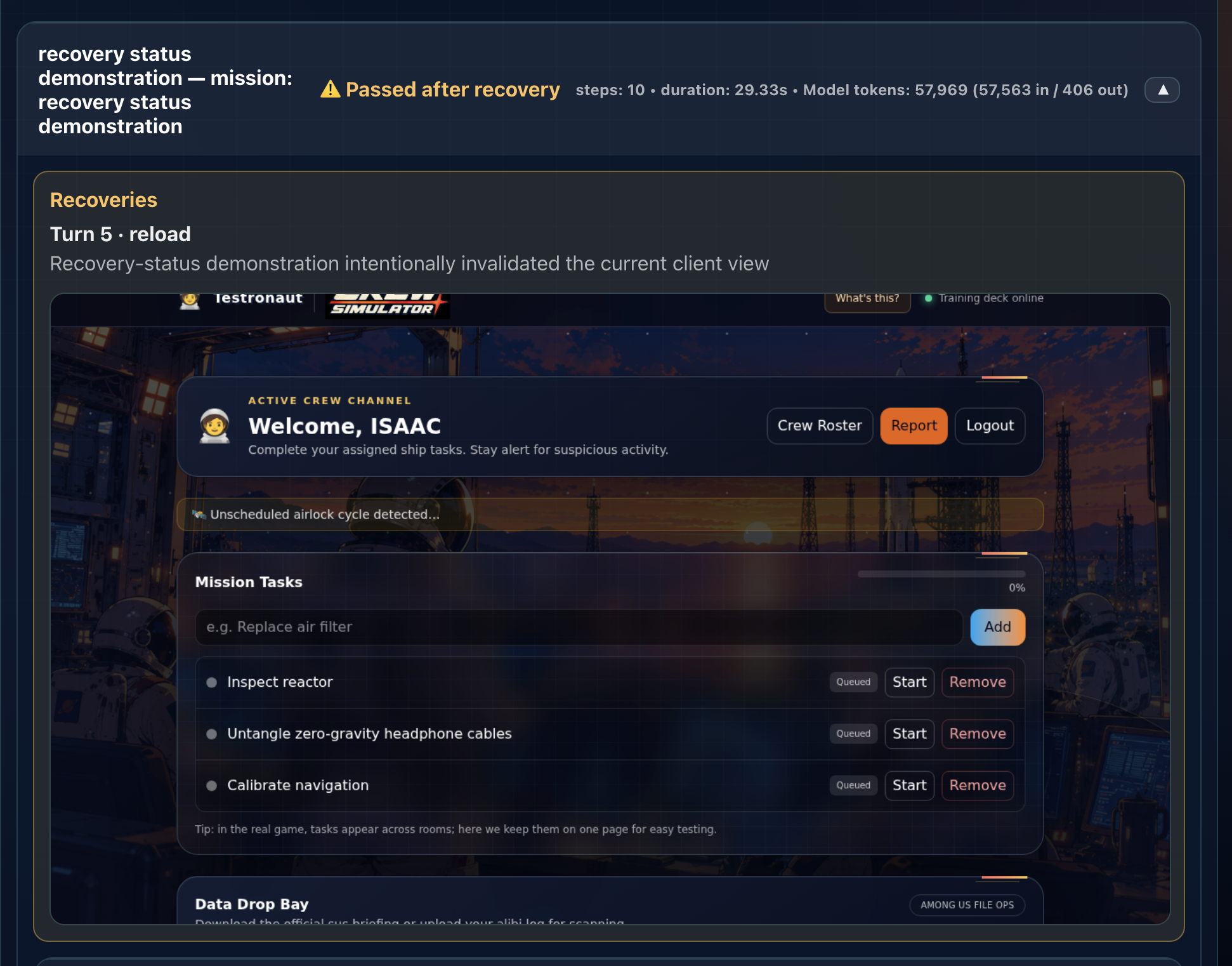
That context matters when an agent adapts. If it found the intended control through a different but valid route, the report can show how. If it refreshed a stale page or retried a failed interaction before succeeding, a recovered outcome can preserve that degraded behavior instead of blending it into an ordinary pass.
A shared report should answer not only whether the mission finished, but what happened while it was trying.
Understand where the run spent its effort
Agentic testing introduces resources that traditional browser tests do not usually expose: model input and output tokens, different model roles, and estimated inference cost. Mission Control can organize those measurements by mission or turn and show individual or cumulative values alongside recorded duration.
The estimates are an engineering aid rather than a provider invoice. They help identify an unexpectedly expensive mission, a long precondition, or a turn that repeatedly gathered context without making progress. Authoritative billing still belongs to the model provider.
Sharing creates a better feedback loop
A report that only its author can open encourages guesswork. A shared report lets a developer inspect the state around a failure, lets a tester point to the exact unexpected interaction, and gives a reviewer evidence tied to a particular run.
The objective is not another dashboard for its own sake. It is to preserve the useful context an agent produced and make that context available at the moment a team decides what to do next.